AI Virtual Staging: How to Furnish an Empty Room Photo
Empty rooms are hard to sell. In a listing photo, a bare living room looks smaller than it is, and buyers struggle to imagine how they would actually live in the space. Physical staging solves this, but renting furniture, moving it in, and taking it back out costs time and money — for every single property.
AI virtual staging takes a different route: you upload a photo of the empty room, describe the furniture and style you want, and get back the same room, fully furnished.
What Is AI Virtual Staging?
Virtual staging means adding furniture and decor to a photo of an empty space. Traditionally this was done by hand in 3D or photo-editing software. With AI, you describe the result in plain language — "a Scandinavian living room with a grey sofa and a wool rug" — and the furniture is added directly into your photo.
The room itself stays the same: walls, windows, flooring, and the camera angle are kept, so the staged photo is still an accurate picture of the property.
How to Virtually Stage an Empty Room With AI
- Take a good photo of the empty room. Shoot in landscape orientation from a corner, keep vertical lines straight, and use daylight. The more of the floor that's visible, the easier it is to place furniture.
- Upload the photo to the image editor. Open QUVIAI's image editing tool and upload your photo.
- Describe the furniture and style. Write what you want in the room: the main pieces, the style, and the colors. Ask for the architecture to stay unchanged.
- Choose masked or maskless editing. Use maskless editing to furnish the whole room at once, or mask just the floor area when you want tighter control. Our masked vs maskless editing guide explains the difference.
- Generate and compare. Generate the result, then try a second style if you want to show buyers more than one option.
Writing a Good Staging Instruction
A good instruction names the main furniture pieces, sets a style, and tells the AI what to keep. Here's the instruction used for the living room below:
"Furnish this empty living room in a Scandinavian style: two light grey sofas, a round oak coffee table, a cream wool rug, a floor lamp, a few plants, and simple framed art on the wall. Keep the walls, windows, and flooring unchanged."
A Real Example: Living Room
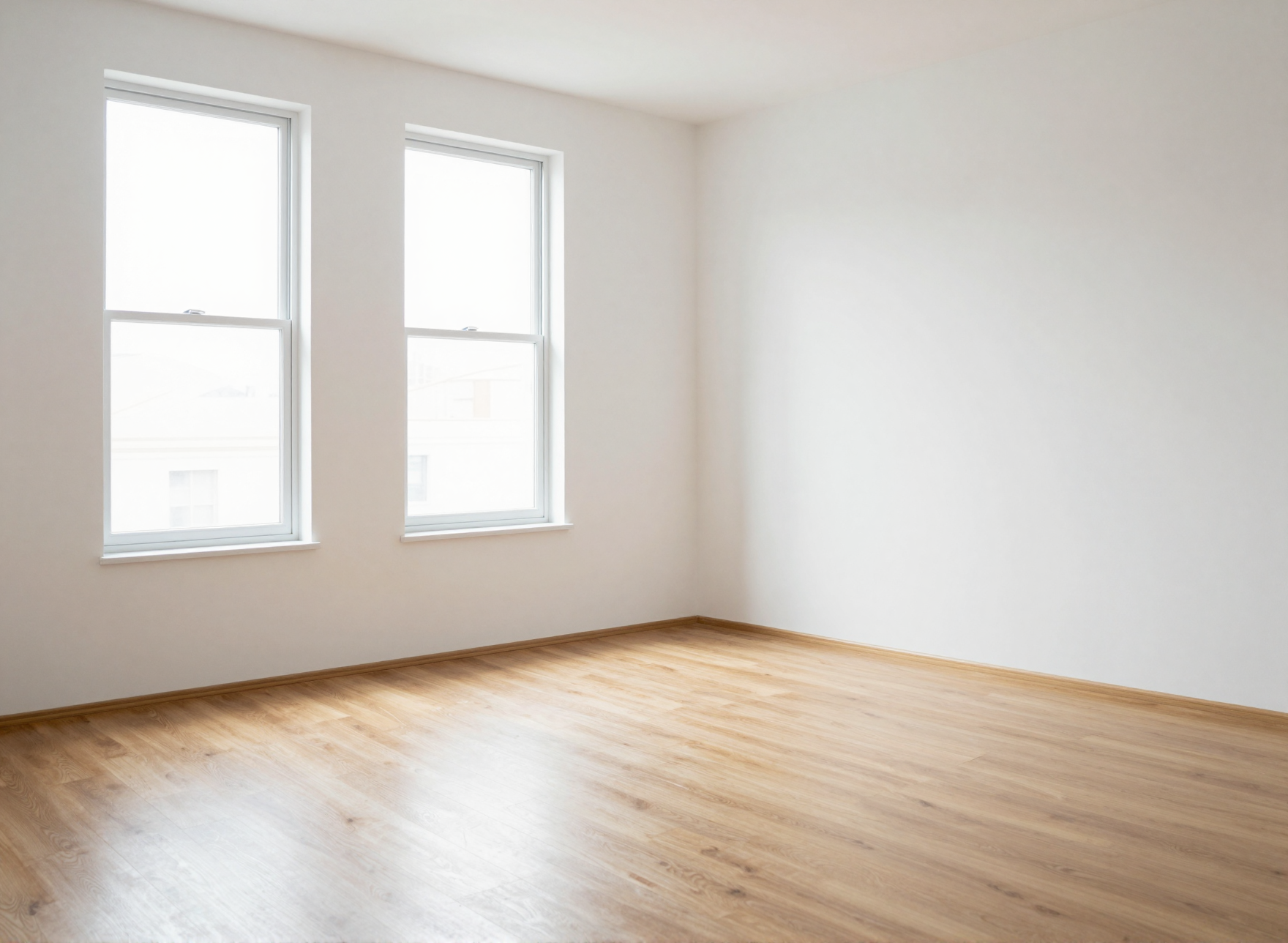
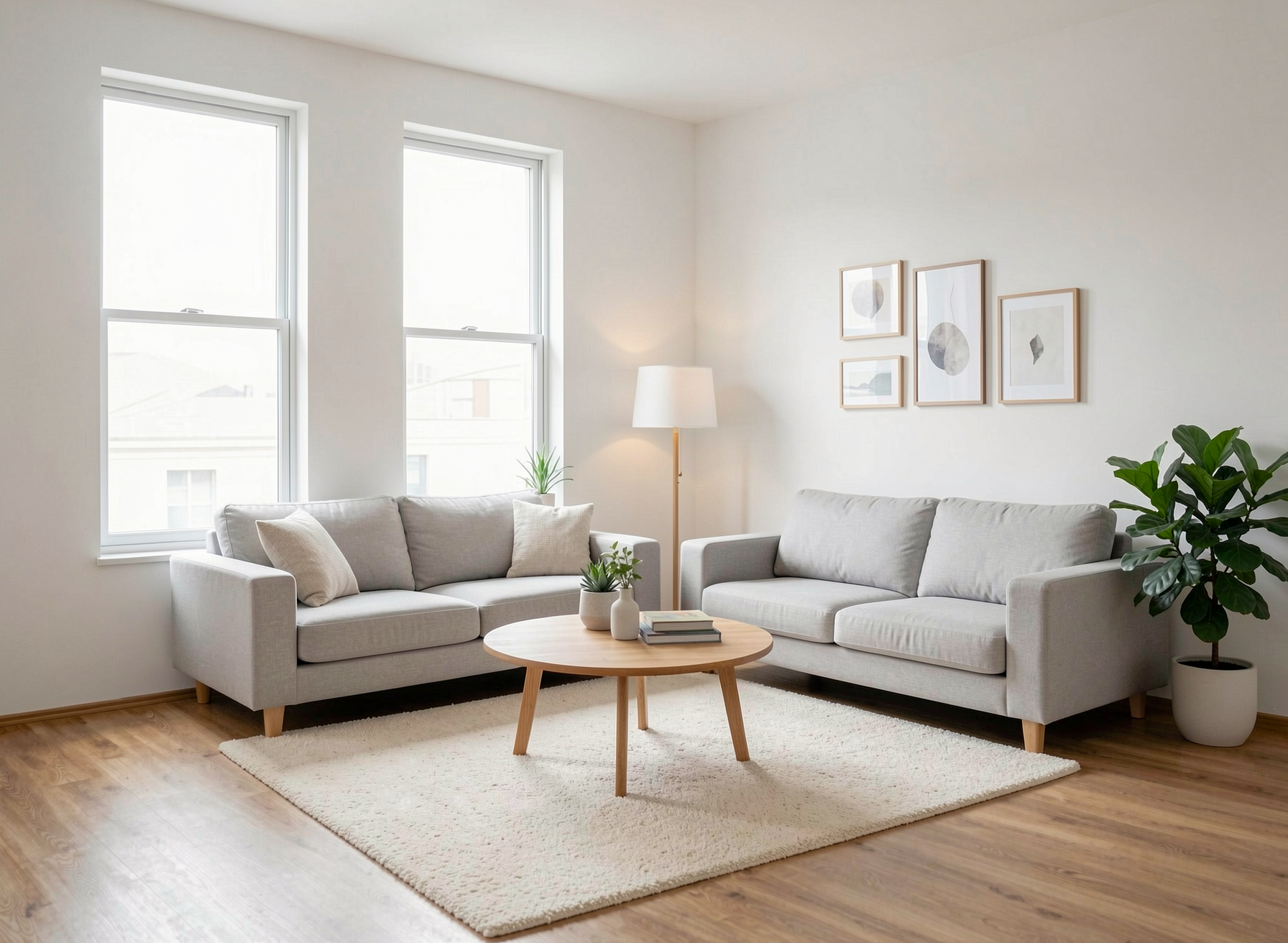
The empty living room, staged with the instruction above.
The walls, windows, and oak flooring are unchanged. The sofas, table, rug, and decor were added at a believable scale and lit by the same daylight coming through the windows.
One Room, Different Styles
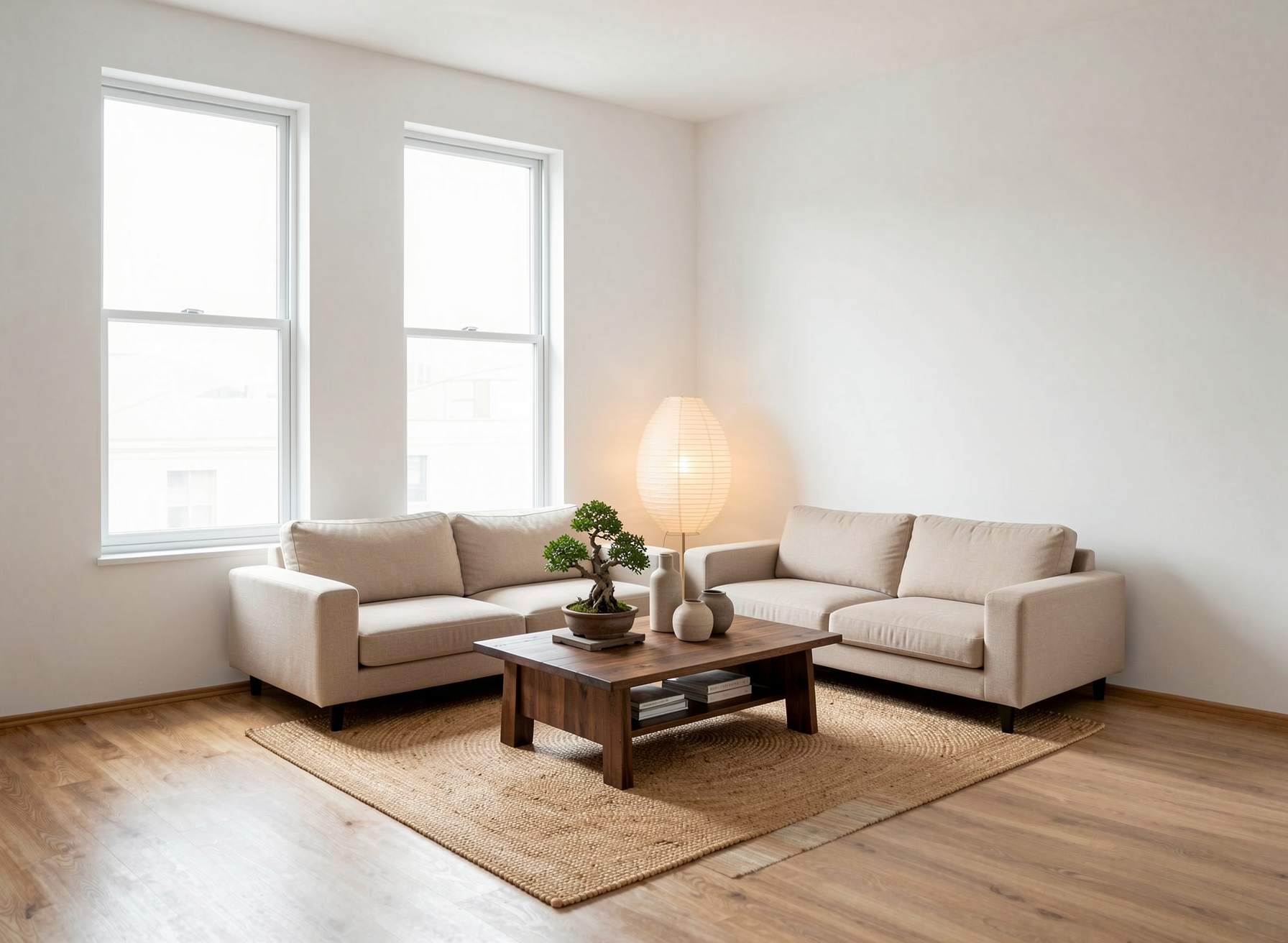
Different buyers respond to different styles. From the same empty photo, you can create several versions and pick the one that fits the property and its target buyers. Here is the same living room staged in a Japandi style:
"Furnish this empty living room in a Japandi style: two low beige sofas, a dark wood coffee table, a jute rug, a paper floor lamp, a bonsai and ceramic vases. Keep the walls, windows, and flooring unchanged."
Tips for Realistic Virtual Staging
- Always say what to keep. Adding "keep the walls, windows, and flooring unchanged" protects the parts of the room buyers need to see accurately.
- Don't overfill the room. A few well-chosen pieces make a room look larger. Too much furniture makes it look smaller.
- Match the style to the buyer. A city studio and a family house call for different furniture.
- Use your own references. If you have a specific sofa or rug in mind, multi-reference editing lets you bring it in from another photo.
- Label staged photos in listings. Many listing platforms and local regulations expect virtually staged images to be clearly marked. Check the rules in your market and keep the original empty photo in the listing too.
Who Is This For?
- Real estate agents — making empty listings more appealing without physical staging
- Property developers — showing buyers how new, unfurnished units can be lived in
- Interior designers — presenting furniture proposals directly on a photo of the client's room
- Short-term rental hosts — testing furnishing ideas before buying anything
Frequently Asked Questions
What is AI virtual staging?
AI virtual staging adds furniture and decor to a photo of an empty room. You describe the style and pieces you want in plain language, and the AI furnishes the photo while keeping the room itself unchanged.
Does virtual staging change the room's walls or windows?
It shouldn't. Ask for the walls, windows, and flooring to stay unchanged in your instruction, or mask only the floor area for tighter control.
Do I need to disclose virtual staging in a listing?
Many listing platforms and local regulations expect virtually staged photos to be clearly labeled. Check the rules in your market and include the original empty photo as well.
Can I stage the same room in different styles?
Yes. Use the same empty photo and change only the style and furniture in your instruction to create multiple versions.
Conclusion
An empty room doesn't have to stay empty in your listing photos. With one good photo and a clear instruction, AI virtual staging furnishes the space in minutes — and you can show buyers more than one style from the same picture.
Ready to stage your first empty room?
Try it free →