AI interior design & rendering

AI Interior Design and Interior Rendering

Redesign any room from a photo. Restyle a room, change materials and colours, or explore new interior concepts from a single photo — with the layout and camera angle kept intact.

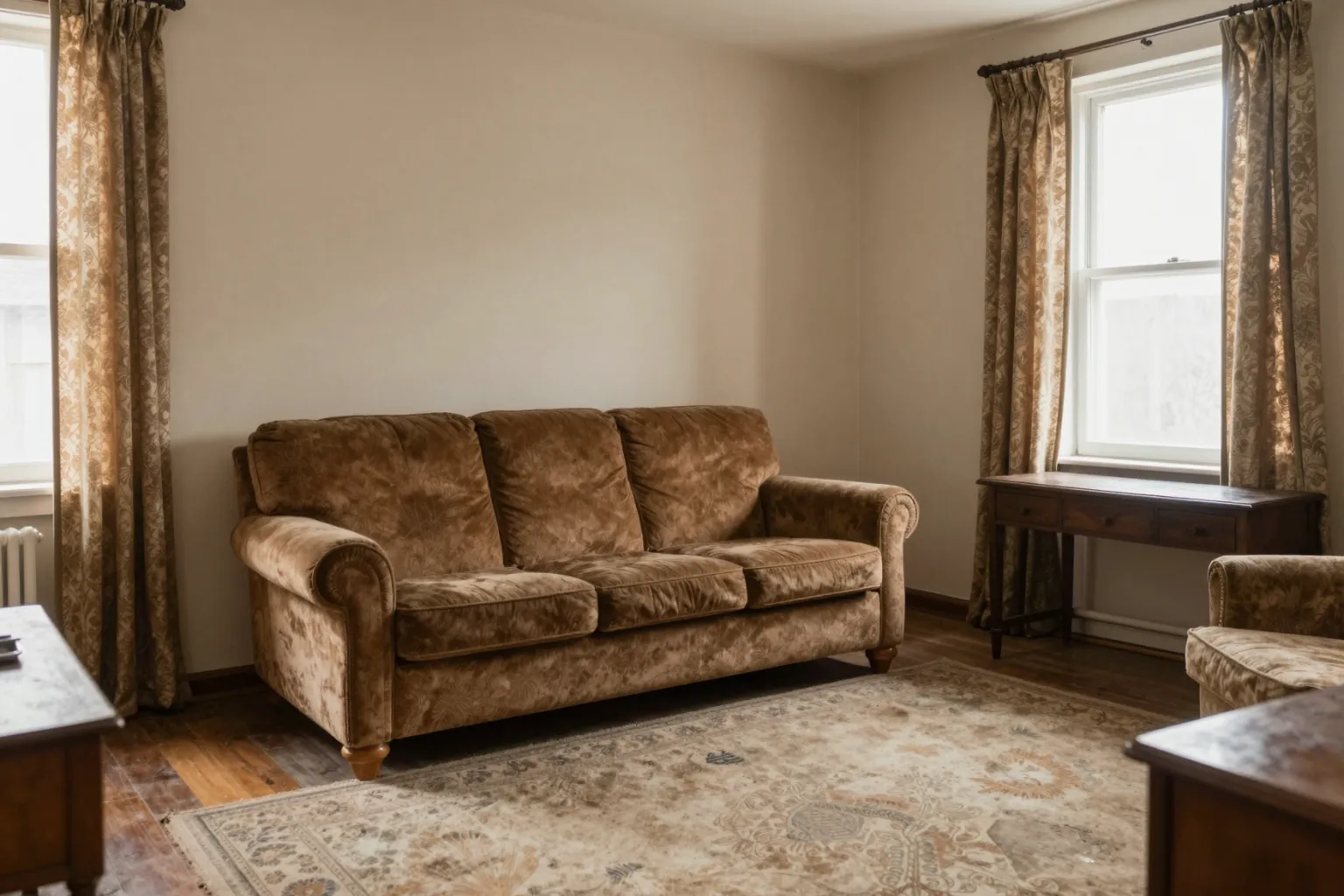
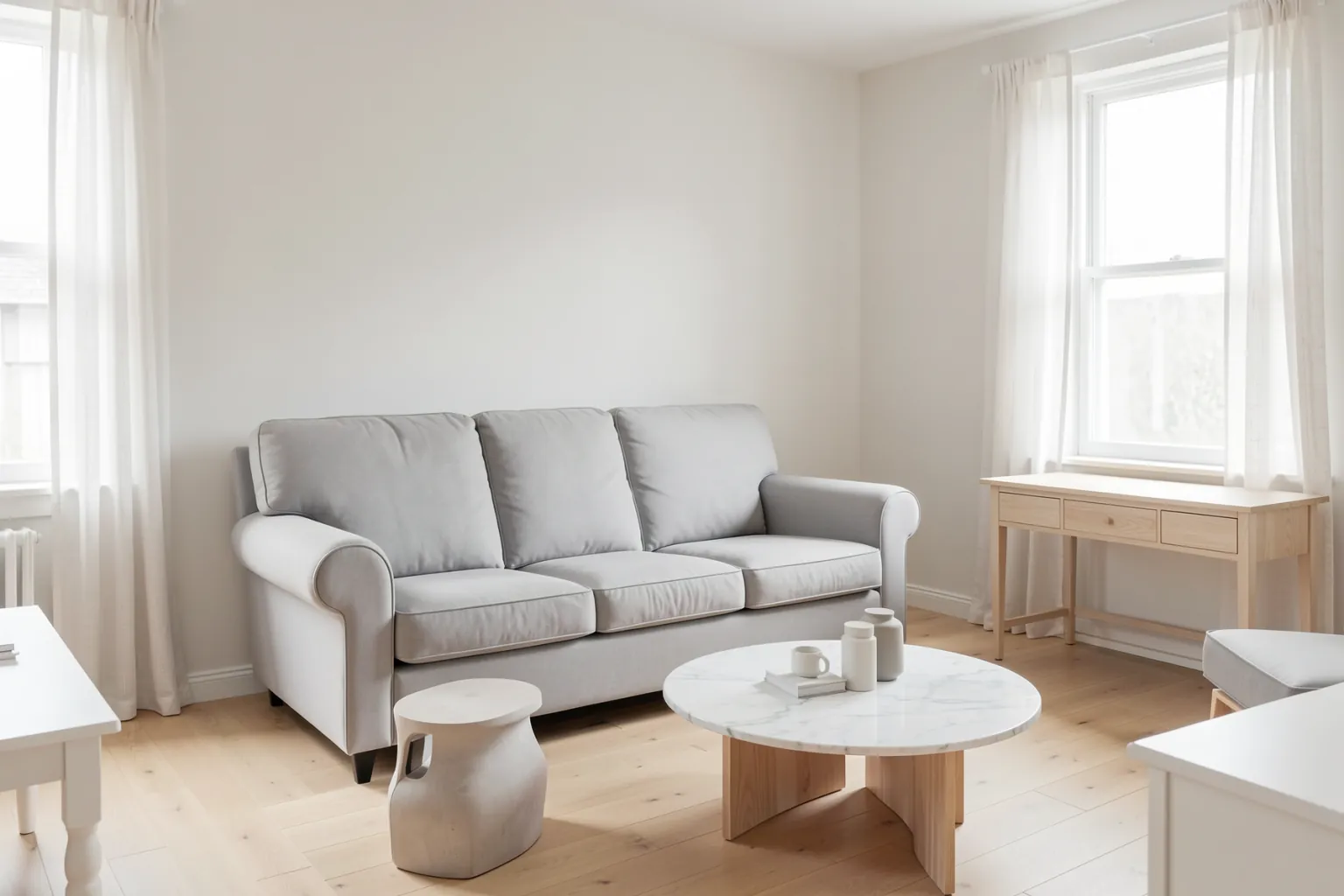
Dated living room with old furniture and beige walls before AI interior redesignThe same living room redesigned with AI in a contemporary style, same layout and camera angle
Before: the existing living room. After: the AI interior redesign of the same room.

OVERVIEW

Interior design with AI, from concept to detail

Interior design decisions are easier when the client can see them. QUVIAI lets you redesign a room from a photo or a render: change the whole style with one instruction, or change only one surface — a cabinet colour, a floor, a sofa — with masked editing while everything else stays exactly as it was.

You can also start from nothing with text to image, bring a fabric, rug or tile from reference photos into the room with multi-reference editing, and generate new camera angles of the same space for a full presentation.

HOW IT WORKS

How to redesign a room with AI

  1. Start from a photo or a prompt

    Upload the existing room, or describe a new interior to generate one from text.

  2. Restyle the whole room

    Use maskless editing with a style instruction and ask to keep the layout, windows and camera angle.

  3. Refine single surfaces

    Mask a cabinet, wall or floor and describe the new material or colour — only that area changes.

  4. Add references and angles

    Bring in materials from reference photos and create extra viewpoints of the same room.

EXAMPLES

AI interior design examples

Dated living room with old furniture and beige walls before AI interior redesignThe same living room redesigned with AI in a contemporary style, same layout and camera angle
The dated living room and its AI redesign.

Full room redesign

A dated living room restyled into a contemporary interior with the same layout, windows and viewpoint.
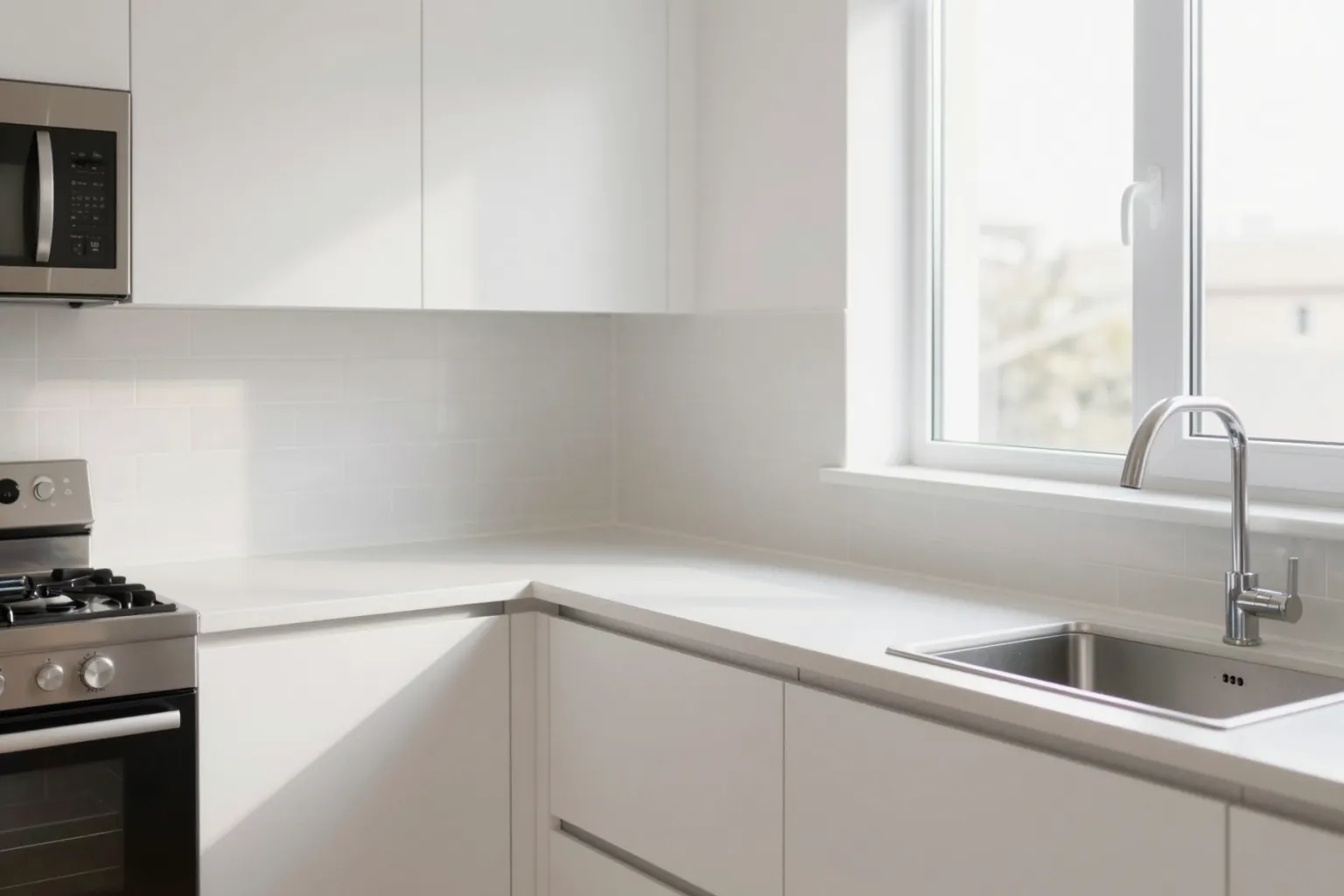
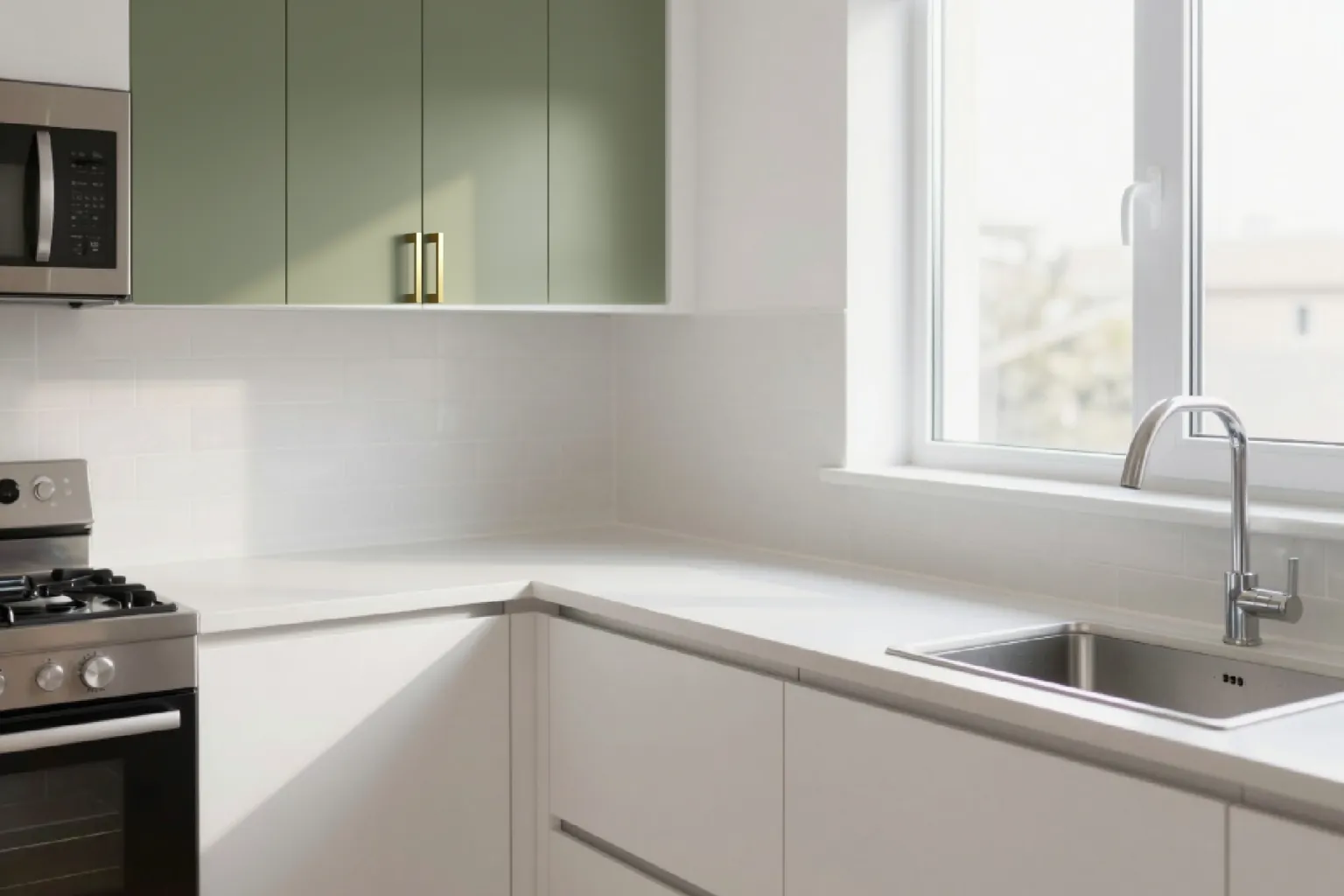
Kitchen with white cabinets before an AI material changeThe same kitchen with only the upper cabinets changed to sage green with brass handles using masked AI editing, everything else unchanged
Masked edit: the white upper cabinets changed to sage green, nothing else touched.

Change one material

Only the upper cabinet doors are masked and changed to sage green with brass handles; the lower cabinets, counters, walls and appliances are untouched.
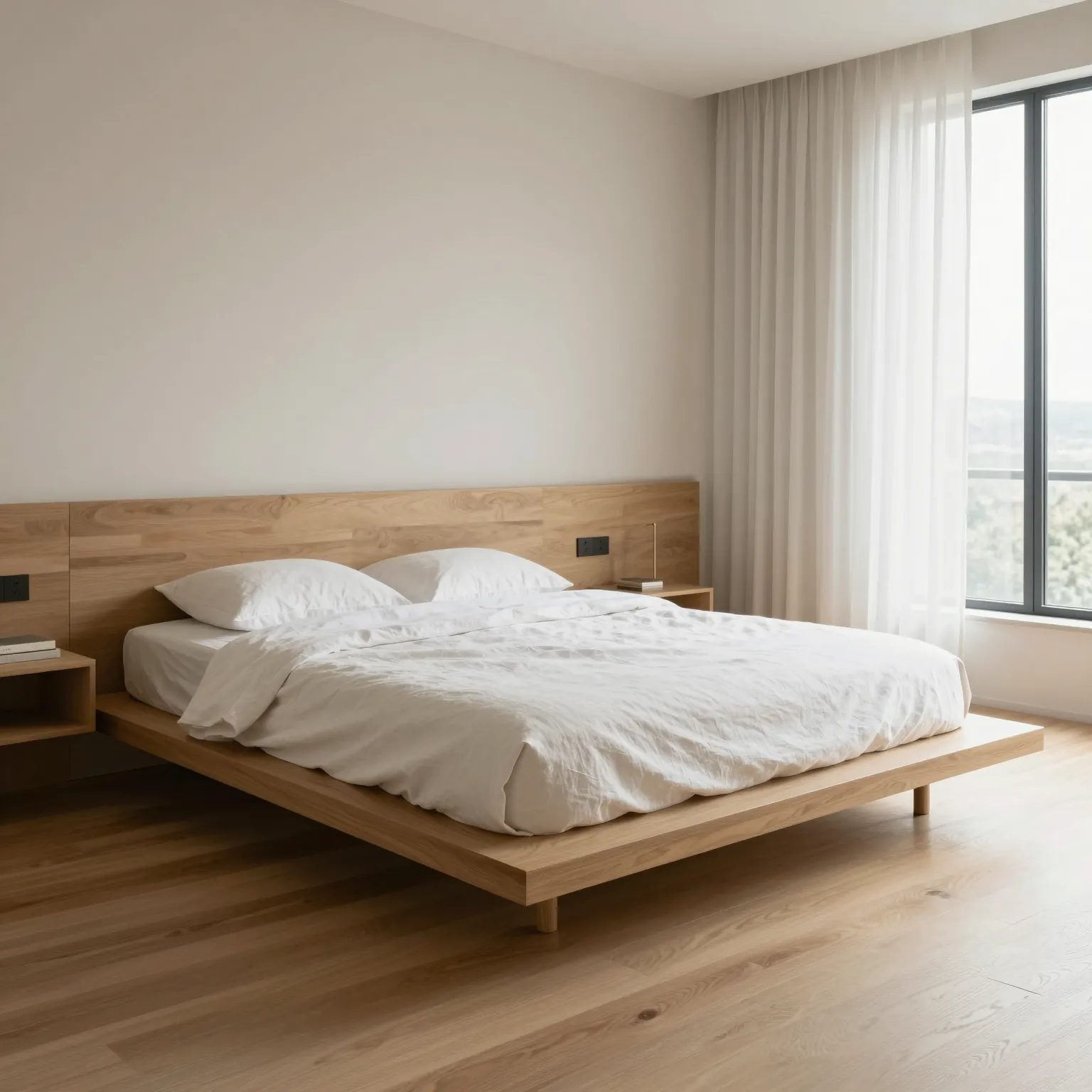
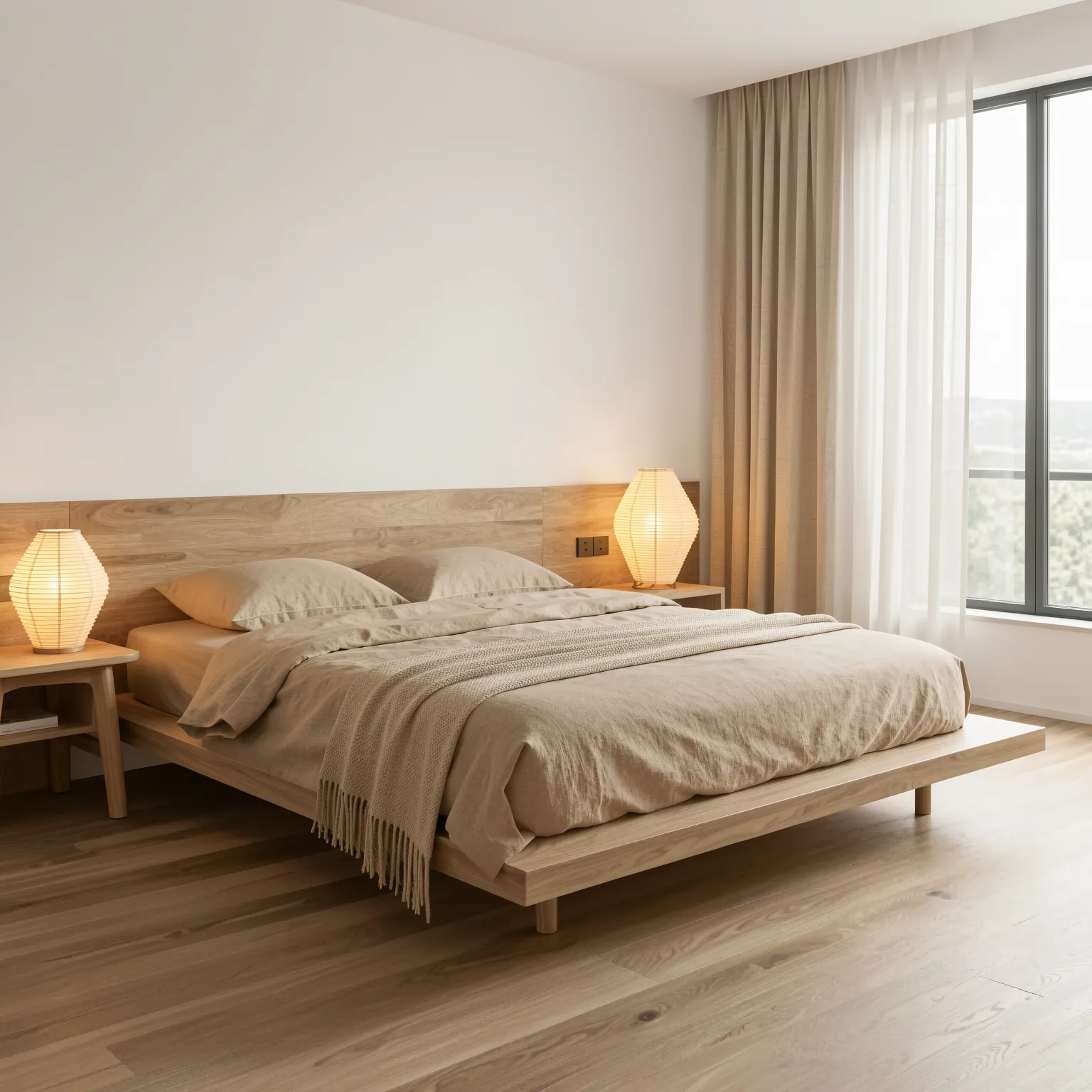
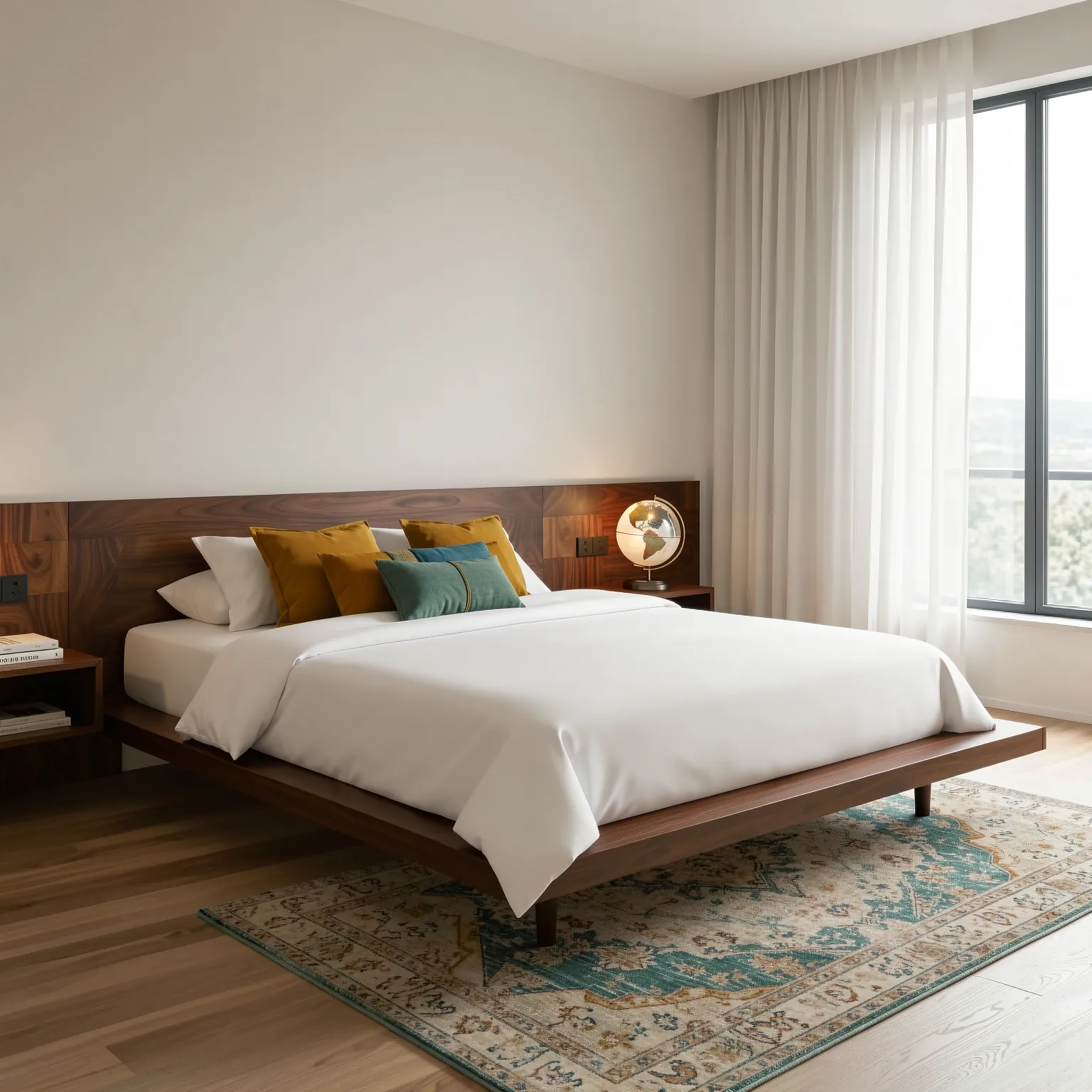
Bedroom interior design concept in modern minimalist style generated with AI
MODERN
The same bedroom interior concept in Japandi style with natural wood and soft beige tones
JAPANDI
The same bedroom interior concept in mid-century modern style with walnut furniture
MID-CENTURY
Modern, Japandi and mid-century modern versions of the same bedroom.

Compare interior styles

The same bedroom shown in modern, Japandi and mid-century modern styles to help a client choose a direction.

WHY IT HELPS

What designers use it for

Client presentations

Show a redesign on the client’s own room instead of a mood board alone.

Material and colour decisions

Swap finishes in seconds and compare options side by side.

Style exploration

Test several interior styles before committing to one.

Retail and hospitality concepts

Visualize cafes, offices, hotel rooms and stores at concept stage.

FAQ

Frequently asked questions

Can AI redesign a room from a photo?

Yes. Upload the photo, describe the new style and ask to keep the layout and camera angle. QUVIAI generates the redesigned room from your own photo.

Can I change only one thing, like the cabinets or the floor?

Yes. Masked editing lets you select an exact area with a rectangle or lasso and change only that surface.

Can I use furniture or materials from other photos?

Yes. Multi-reference editing combines elements such as a fabric, rug or wall texture from reference images into one room.

Do I need interior design software?

No. Everything runs in the browser from a photo or a sentence; no 3D modelling or rendering setup is needed.

START FREE

Start free with 5 credits every day

5 free credits every day · No credit card required. Try AI interior design & rendering and every other tool.