

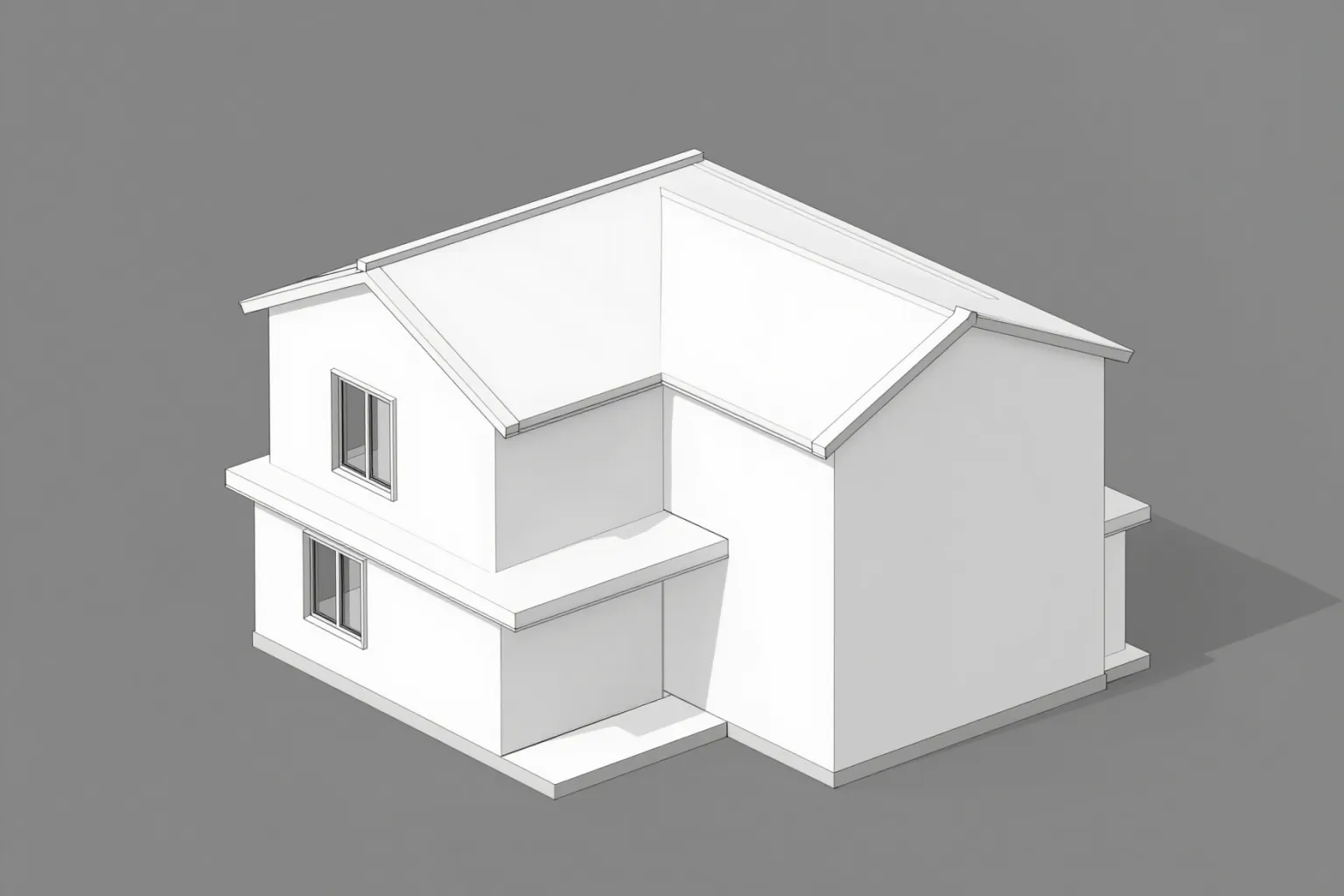
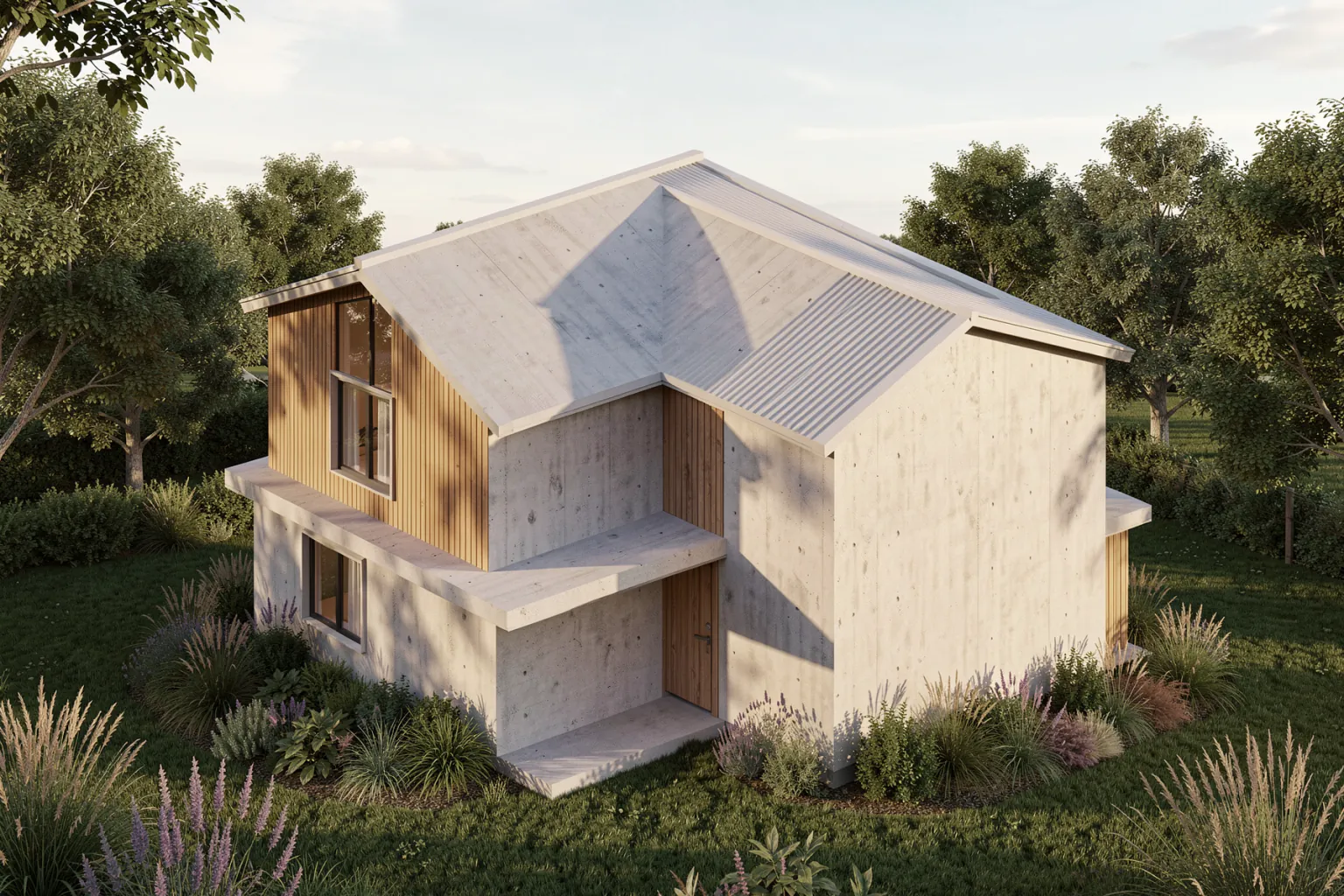
Untextured model to photorealistic render
A plain viewport export becomes a presentation image with materials, daylight and landscaping — the massing and camera stay the same.
AI rendering software
Photorealistic architectural renders from a sketch, a 3D or BIM model view, a photo or a text prompt — in the browser, without a render engine, GPU or material setup.
OVERVIEW
AI rendering software generates architectural images with a trained model instead of simulating light on a fully textured 3D scene. You give it what you already have — a hand sketch, a viewport export from your modelling software, a photo of an existing building, or a written description — and it returns a photorealistic render with materials, light and context.
QUVIAI is AI rendering software built for architecture and interiors. Besides generating renders it lets you edit them (masked inpainting or plain-text changes), virtually stage rooms, create day, night and seasonal versions, generate new camera angles, turn renders into walkthrough videos, build scenes in a browser 3D editor and create 3D models from photos or text.
COMPARISON
AI rendering does not replace every render engine. It is fastest at the concept and option stages, while traditional engines remain the choice for exact final images of a detailed model.
| Criterion | AI rendering (QUVIAI) | Offline ray-traced rendering | Real-time rendering |
|---|---|---|---|
| Input needed | Sketch, model view, photo or text | Detailed 3D model with materials and lights | Detailed 3D model with materials |
| Setup before the first image | A prompt and a style | Materials, lights, cameras, render settings | Materials, environment, cameras |
| Time to first image | Seconds to minutes | Minutes to hours per frame | Fast once the scene is set up |
| Hardware | Any modern browser; generated in the cloud | Powerful CPU/GPU or render farm | Capable graphics card |
| Precision and consistency | Concept-level; small details can shift | Exact and repeatable | Exact and repeatable |
| Best for | Concepts, options, edits on photos, staging | Final contractual images | Walkthroughs and design reviews |
HOW IT WORKS
Upload a sketch, a view exported from your CAD, BIM or 3D modelling software, or a photo — or start from a text prompt.
Name materials, setting and time of day, and pick an architectural style.
Get a photorealistic image in seconds to minutes, without any render settings.
Change details, create night or seasonal versions and new angles, or turn the render into a video.
EXAMPLES
A plain viewport export becomes a presentation image with materials, daylight and landscaping — the massing and camera stay the same.
WHY IT HELPS
Use image exports from any CAD, BIM or 3D modelling software, or import .glb, .obj, .fbx and .dae models into the browser editor.
Everything runs in the browser and the render is generated in the cloud.
Render, edit, stage, animate and create 3D assets in one workspace.
Daily free credits let you test every feature before choosing a plan.
FAQ
START FREE
5 free credits every day · No credit card required. Try AI rendering software and every other tool.