A plan, not a blank page
Answer a few questions and get weeks of post ideas on your calendar. Drafts are free to change.

Your social posts, planned and made. A month of content, written on your computer.
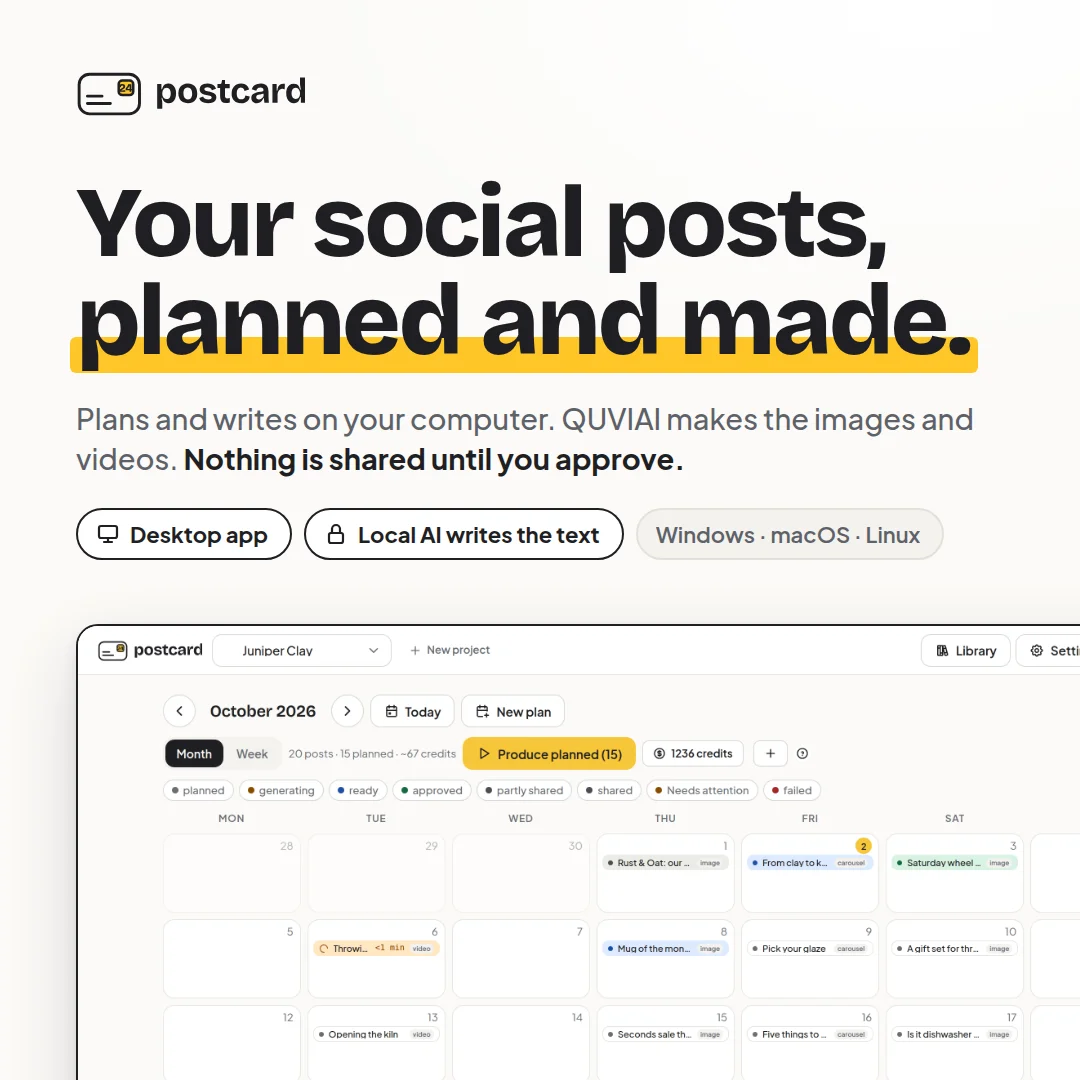
Postcard is a desktop app for people who run a business and don't have time to be a social media team. Tell it about your business once, and it fills your calendar with a few weeks of post ideas and writes the text for each channel.
With the built-in AI, planning and writing run on your own computer, even offline. When you approve a post, QUVIAI makes the images and videos in the cloud. Nothing is shared until you say so.
Everything Postcard does for you.
Answer a few questions and get weeks of post ideas on your calendar. Drafts are free to change.
Each post is a few plain sentences. Edit them, rewrite them, or drag the post to another day.
See the exact credit cost and your balance first. Planning, captions and chat are free.
Approve in one click, or redo just one slide or caption. Postcard never posts for you.
The built-in model runs on your computer. Your plans, captions and library stay on your machine.
Say "produce next week's posts" in chat. Postcard shows the cost and waits for your confirm.
Add your logo, products and brand rules once. Postcard uses the real thing, not invented ones.
Text that fits Instagram, TikTok, LinkedIn, X, YouTube and more, in English, German, French or Turkish.
From idea to finished content in 4 steps.
Answer a few questions and choose how often you want to post.
Edit, move or rewrite any post idea on your calendar, for free.
Confirm the credit cost and QUVIAI makes the images and videos.
Copy the text, open the folder with your files and post when ready.
Quick answers about Postcard.
Postcard is a desktop app that plans a few weeks of social media posts for your business, writes the text for each channel, and makes the images and videos with QUVIAI when you approve.
Instagram, Facebook, TikTok, Pinterest, LinkedIn, X, YouTube and YouTube Shorts.
With the built-in AI, your projects, plans, captions and library stay on your computer. Content only leaves your machine when you press Produce, and only what is needed to make that post's visuals is sent to QUVIAI.
Planning, recipes, captions and chat are free. Images and videos use credits from your QUVIAI account, and Postcard always shows the exact cost before anything is made.
Windows 10 or 11 (64-bit), macOS 11 or newer on Apple silicon, or 64-bit Linux, with at least 8 GB of RAM (16 GB recommended) and about 6 GB of free disk space.
Your social posts, planned and made. A month of content, written on your computer.


QUVIAI by © Quick Vision Studios 2026 All rights reserved